
Features
Everything between a SELECT on SAP Business One and a verified document in the recipient's hands
Report definitions, a scheduler that iterates over business partners, five delivery channels, Excel, CSV, PDF and Crystal Reports output, certification, signing, write-back to SAP Business One, governance and operations. Every feature in every edition.
Report definitions
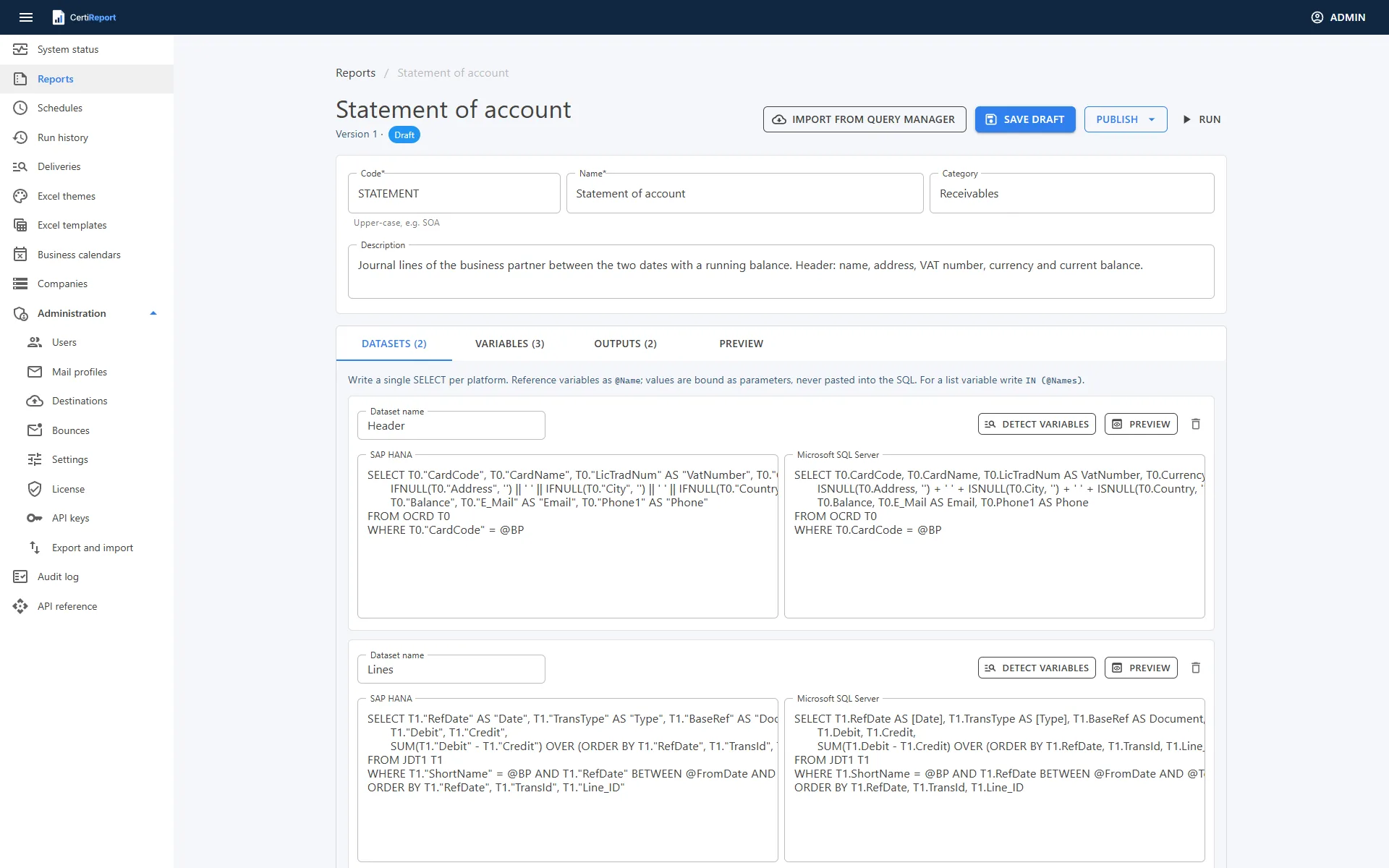
A report is a versioned package: one or more datasets, each a single SELECT with a version per platform, the variables the SQL references, and the outputs it produces. Write @Name in the SQL and the value is bound as a parameter, on SQL Server as @Name and on HANA as a positional parameter, never pasted into the text. A multi-value variable in IN (@Names) expands to one parameter per value.
- Versions go Draft → Pending approval → Published → Retired. A published version is immutable; editing it starts a new draft, and schedules pick up the latest published version at their next run
- Four-eyes publishing: a version submitted for approval must be published by a different user
- The SQL safety guard accepts a single SELECT only (ScriptDom on SQL Server, a token check on HANA); the read-only database user remains the real protection
- Import from Query Manager converts
[%0]-style parameters into typed variables and, for HANA companies, rewrites[Column]identifiers and common T-SQL functions - Seven starter reports for HANA and SQL Server against the standard tables: statement of account, open invoices, receivables aging, overdue reminder, sales by business partner, sales by item and incoming payments
- Run on demand from the designer with the variables highlighted, preview the result grid and download the files
Typed variables and SAP Business One pickers
Each variable has a data type, a label, a source for its values and, optionally, a concept such as Business Partner, Period start or Period end. Concepts are what let the scheduler bind the same value across several reports.
- Sources: free entry, a fixed list, an SQL lookup that may reference other variables and reloads when they change, or a built-in SAP Business One picker
- Pickers for customers, vendors, business partners, items, sales employees, customer groups, vendor groups, item groups, warehouses, projects, branches, currencies and payment terms, each searchable by code or name on both platforms
- Defaults accept date expressions such as
@StartOfMonth(-1),@EndOfMonth(-1)or@Today - Rules such as
ToDate >= FromDateorDaysBetween(FromDate, ToDate) <= 366are checked before a run and, for schedules, for the next three fire times - Detect variables reads the
@Namesout of the SQL and creates the missing ones
A statement dataset, as written in the designer
SELECT T0."CardCode", T0."CardName", T1."RefDate",
       T1."Debit", T1."Credit",
       SUM(T1."Debit" - T1."Credit") OVER (ORDER BY T1."RefDate", T1."TransId") AS "Balance"
FROM OCRD T0 JOIN JDT1 T1 ON T1."ShortName" = T0."CardCode"
WHERE T0."CardCode" = @BP
  AND T1."RefDate" BETWEEN @FromDate AND @ToDate
ORDER BY T1."RefDate", T1."TransId"

-- BP: picker Customers · concept BusinessPartner
-- FromDate: @StartOfMonth(-1) · ToDate: @EndOfMonth(-1) · rule ToDate >= FromDate
Scheduler and iteration
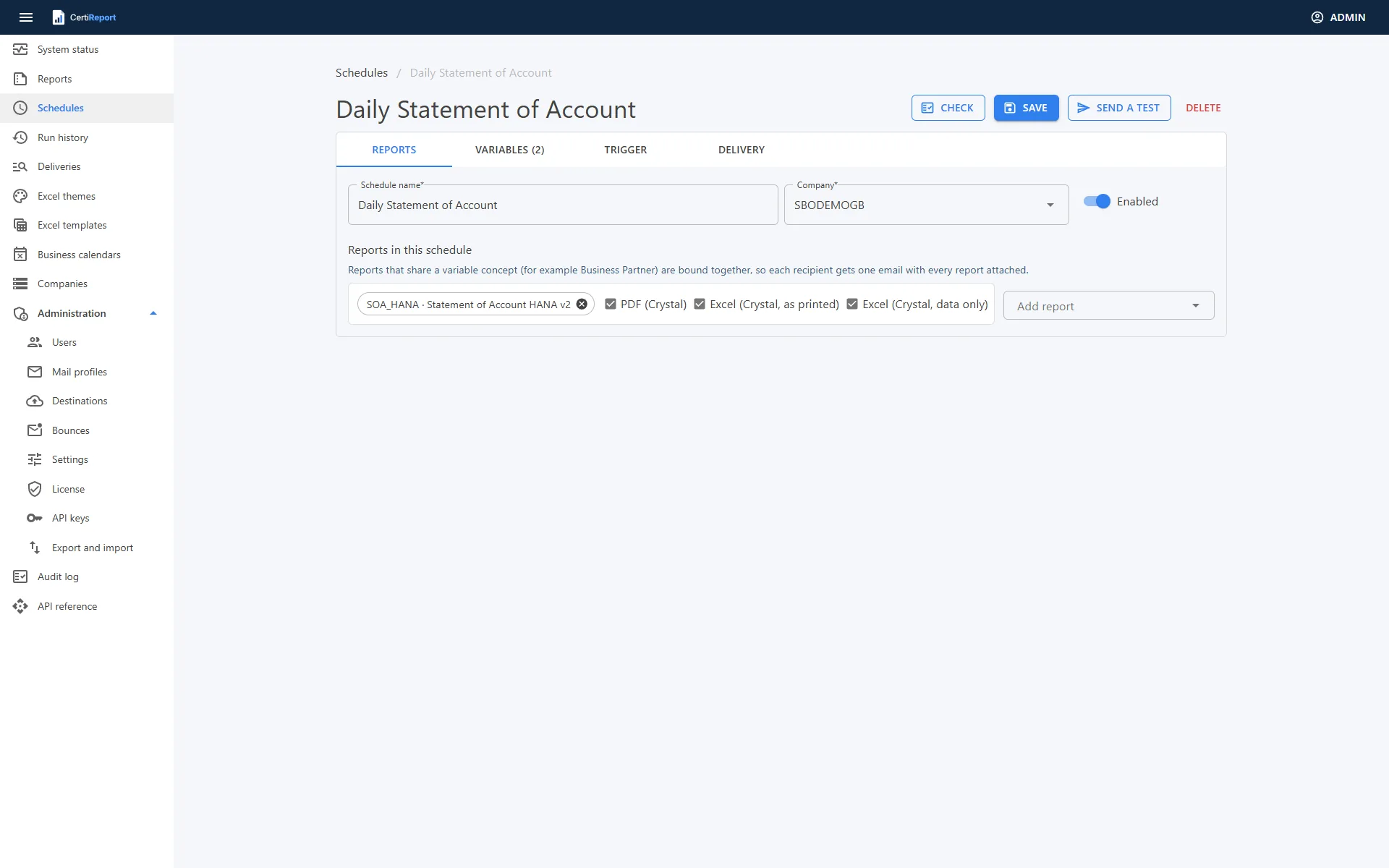
A schedule bundles one or more published reports, binds every required variable and delivers the output. Variables that share a concept across the schedule's reports merge into one slot, so Business Partner is bound once and each recipient gets one e-mail with every report attached. A slot can be unlinked and bound per report.
- Bindings: a fixed value, a date expression relative to the fire date in the schedule's time zone, a selection from the variable's lookup, a date derived from another date slot, or iterate
- Iterate over business partners picked from SAP Business One with their contact persons, or over whole partner groups whose members are read at run time, or over any query that yields one item per row with columns for the value, a label, the recipient address and the recipient language
- Trigger: cron presets or your own expression, time zone, a business calendar with weekend days and holidays, and a policy for runs on a non-business day: run anyway, skip, or run on the next business day at the same time
- Misfire and overlap per schedule: run once as soon as the engine is back or skip; skip or run when the previous run is still busy
- Check before saving: every required slot bound, valid expressions, the iterate query dry-run with its row count and rows without a recipient, the rules for the next three fire times, the mail profile enabled; Next five runs lists the dates and flags the moved ones
- Send a test: one item produced with real data, mailed to an address of your choice with a
[Test]prefix and no write-back - Run now, pause, resume and duplicate from the list; the engine registers changes within a minute
Delivery channels
Each schedule ticks which of the report's formats it produces and chooses where they go. One report can go out as Excel to one audience and as a certified PDF to another.
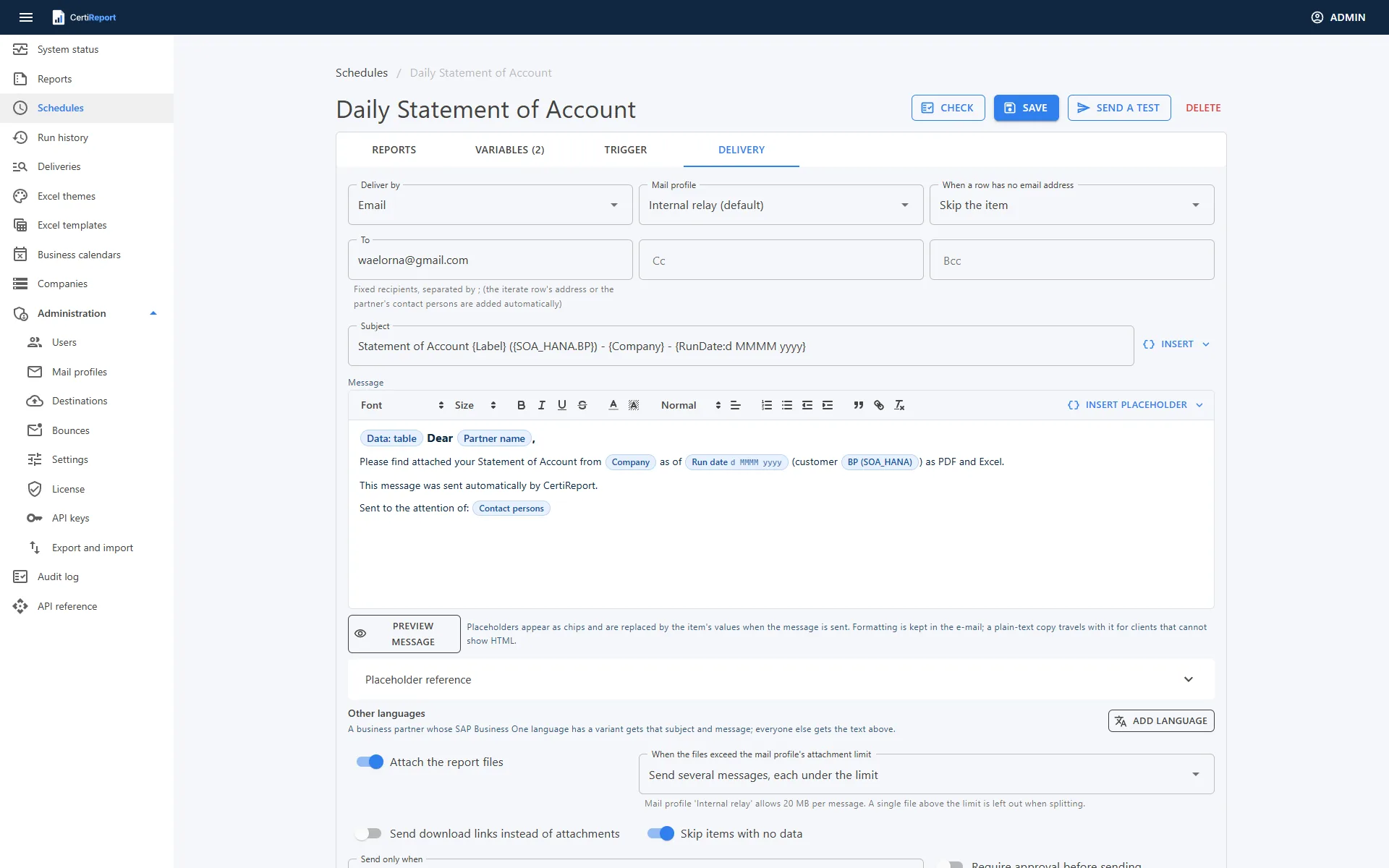
- E-mail through a mail profile: SMTP with STARTTLS or TLS, Microsoft 365 with an Entra app (OAuth2), or Microsoft Graph over HTTPS. Messages-per-minute and recipients-per-day limits, attachment limit with a policy per schedule (split into several messages, zip, or skip), and the partner's contact persons re-read from SAP Business One at send time
- The message in a rich-text editor with placeholder chips:
{Company},{ReportName},{RunDate:MMMM yyyy},{Label},{Contacts}, any slot value, the first row of a dataset as{Header.Balance:N2}, and{Dataset.Table}for the rows as a table in the mail. A subject and body per SAP Business One language, chosen by the partner's language. Preview with real values from the last Check - Send only when a condition on the item's values holds, for example
{Header.Balance} <> 0; skipped items show the condition in run history - Download links instead of attachments: one link per file, served by the portal without sign-in until the link expires (1 to 365 days) or retention removes the file, with the downloads counted on the run page
- Folder, SFTP server, SharePoint library and Teams channel as named destinations with a Test button and encrypted secrets; files land in a folder template such as
statements/{RunDate:yyyy}/{Label}; Teams receives one Adaptive Card per item - Transactional outbox: the e-mail is written in the same transaction as the item's result, claimed per engine node, retried after 1 minute, 5 minutes, 15 minutes, 1 hour and 4 hours, then dead-lettered; every attempt is recorded
- Bounces: the engine reads delivery status notifications from the sender mailbox every 10 minutes, marks the item Bounced or Delayed with the server's diagnostic and stops mailing addresses that bounced hard
Outputs: Excel, CSV, PDF and Crystal Reports
A report defines its outputs; a schedule decides which of them to produce. File names come from a template such as SOA_{BP}_{ToDate:yyyyMM}, and a schedule can name its attachments itself.
- Excel with a theme: colours, fonts, number, money and date formats, a title block with report name, company, item, run date and logo, subtotals whenever a column changes, a totals row, frozen header, filter buttons, fitted columns, print setup, readable captions for SAP Business One field names (CardName → Business partner), hidden columns and a Parameters sheet. Three built-in themes, edited with a live preview
- Excel from your own workbook: upload a template designed in Excel and keep its layout, styles, formulas, charts and conditional formatting. Markers such as
{{Header.CardName}},{{Lines[].DocTotal}}for a row repeated per data row,{{Company.Logo}}and{{Lines.Count}}; formulas on the repeated row grow with it - CSV of the first dataset
- PDF from an HTML template written in Scriban, with two starter layouts (statement with running balance, table per dataset), page size, orientation and watermark per output, rendered in the Chrome or Edge already on the server
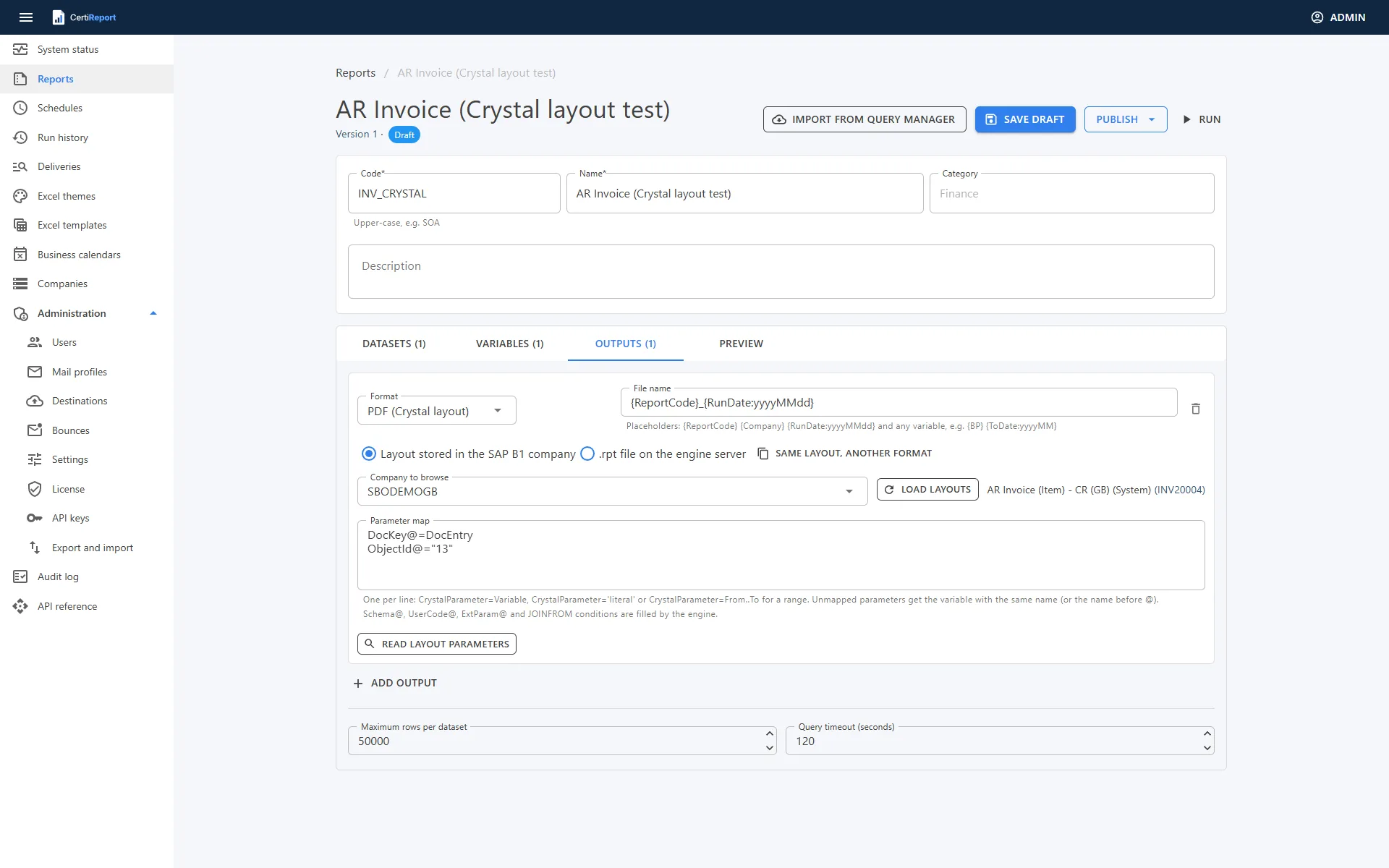
- Crystal Reports layouts from an
.rptfile on the engine server or straight from the company's Report and Layout Manager (standalone reports and document layouts), cached until they change in SAP Business One. Output as PDF, Excel as printed, Excel data only, Excel 97-2003 and CSV, from one run of the layout - Parameter map read from the layout:
Parameter=Variable,Parameter="literal"orParameter=From..Tofor ranges;Schema@,UserCode@and JOINFROM conditions are filled by the engine;DocKey@andObjectId@come from variables, so a document layout can be scheduled over documents
Certification and verification
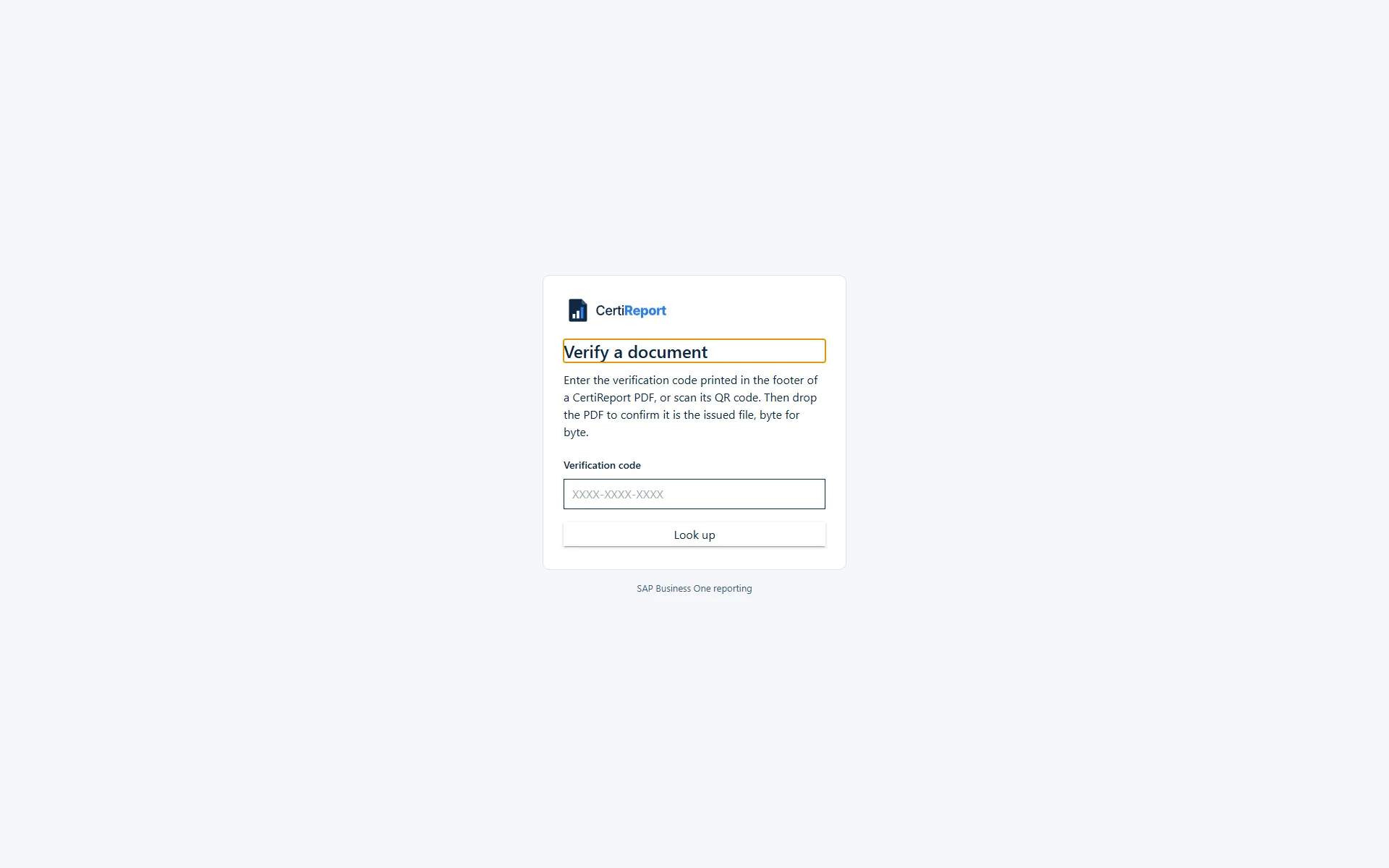
Every file CertiReport produces keeps its SHA-256. A PDF output with "Verification code and QR in the footer" becomes a certified document: the footer carries page X of Y, a code in the form XXXX-XXXX-XXXX and a QR code pointing at the portal's public verification page.
- The public page
/verifytakes the code or the QR scan and shows the issuer, the report, the issue date, the hash and whether the document was digitally signed - Drop the PDF you received and it is compared byte for byte with the issued file: "Authentic." or "Does not match." The file is hashed on the server and not stored
- Nothing but those facts is exposed; the document itself never leaves run history
GETandPOST /api/v1/verify/{code}for your own portal or a customer's accounts-payable workflow, rate limited to 30 requests per minute per client- Watermarks per output: on-demand runs of an unpublished version are stamped DRAFT, retried items COPY
Digital signing
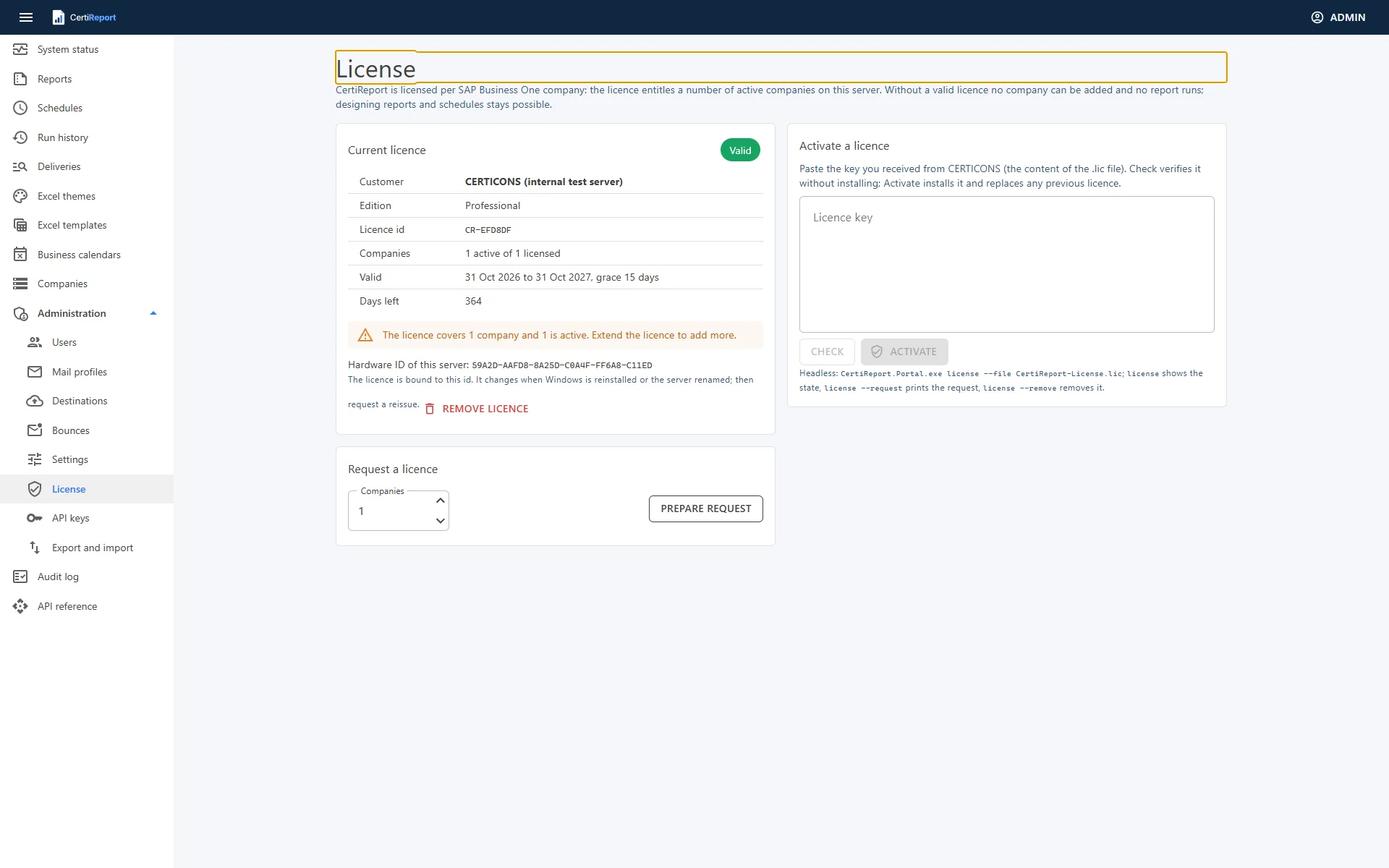
Each company can sign its PDFs with a certificate from the Local Machine Personal store of the engine server, identified by its thumbprint on the company page. The signature is PKCS#7, so Acrobat shows the document as signed and unmodified, and the verification page reports it as digitally signed.
- Check on the company page tells you whether the service account can read the certificate's private key
- Optional open password from a template expression, for example the partner's tax number
{{ header.LicTradNum }}, with AES-256 encryption - The company logo, uploaded as PNG, JPEG or SVG, is available to PDF templates, Excel title blocks and workbook templates
Why certify at all
A statement or a dunning letter is often forwarded, printed and re-scanned before it is questioned. A code in the footer lets the recipient, their auditor or your own staff confirm in seconds that the document was issued by you, when, and that not a byte has changed since. The signature adds the cryptographic proof inside the file itself.
Write-back to SAP Business One
After an item is delivered, the schedule can record it on the business partner through the company's Service Layer: attach the files to the partner's Attachments tab and log an activity with the files attached and the first 60 characters of your text as its details. The business partner is the slot linked to the Business Partner concept.
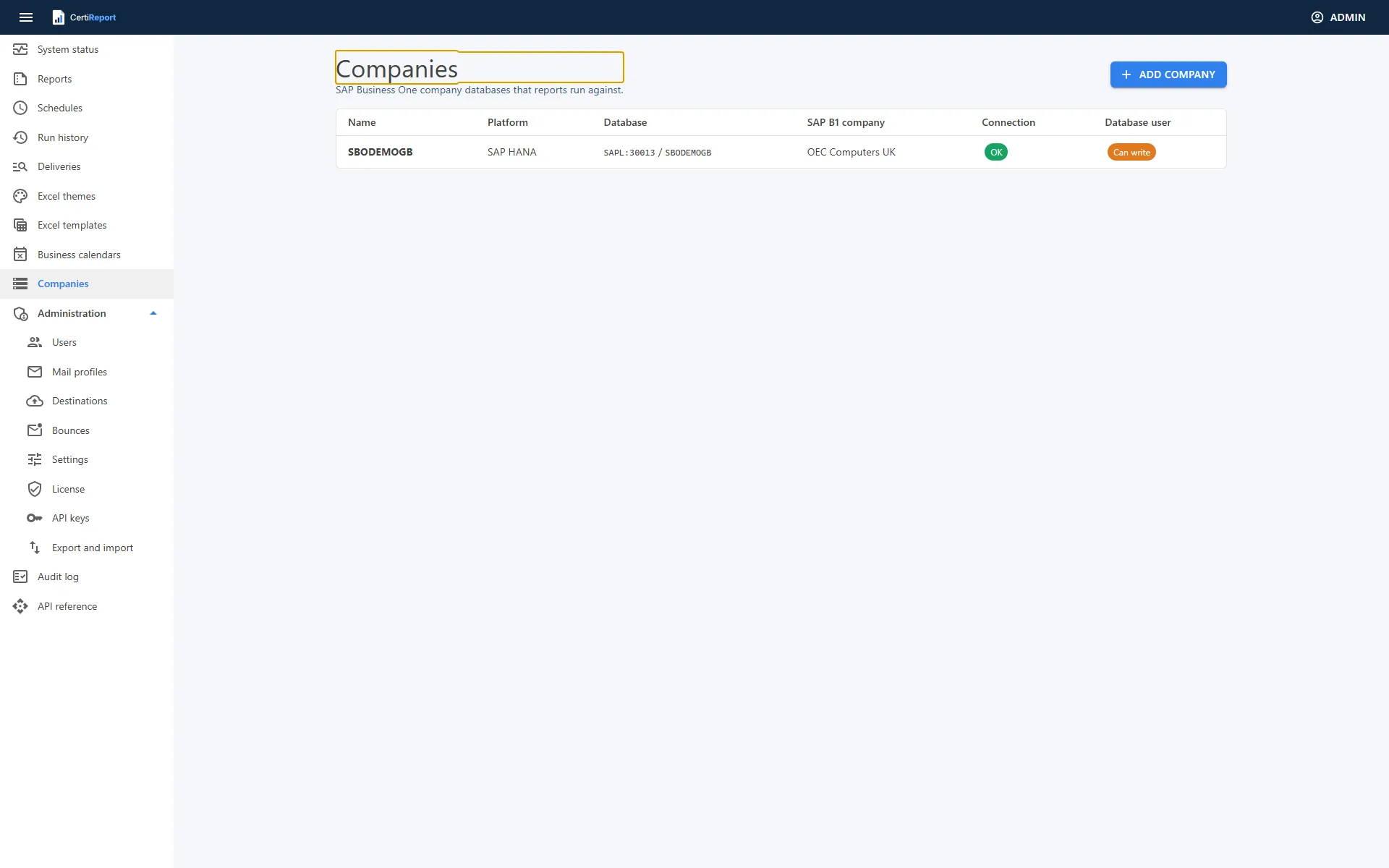
- Service Layer URL, SAP Business One user, password and company database on the company page, with "Test Service Layer" signing in and out and an option to accept a self-signed certificate
- A write-back failure is recorded on the item and does not fail the run or hold up the other recipients
- Test sends never write back
- Reporting itself needs no Service Layer: the datasets run through the SAP HANA Client or the SQL Server client with the read-only user
Governance
- Six roles: Administrator, Report designer, Scheduler, Runner, Viewer and Auditor, with the same roles for API keys
- Sign-in: local accounts, Windows accounts and Microsoft (Entra ID) sign-in; authenticator-app MFA with recovery codes, mandatory for administrators; accounts lock for 15 minutes after 5 failed attempts and sign-ins are limited to 10 per minute per address
- Report versions are immutable once published; a version submitted for approval must be published by another user
- Approval before sending: the run produces its files and waits in run history; e-mails stay in the outbox and uploads, Teams cards and write-back are planned but not done until an administrator or scheduler approves or rejects the whole run with a note
- Audit log: hash-chained entries for sign-ins, configuration changes, licence activation and runs, written by the portal and the engine alike
- Secrets such as database passwords, Service Layer sign-ins, mail passwords, client secrets and destination keys are stored encrypted with a machine-protected key ring; API keys are shown once and stored hashed; no password travels in an export file
- Read-only by design: the connection test lists any right the database user has to change data; scripts to create a read-only user for HANA and SQL Server ship with the setup
- HTTPS with a certificate from the machine store, HSTS and hardened response headers
Operations
CertiReport is two .NET Windows services, the portal and the engine, sharing one PostgreSQL database that the setup installs and manages as a third service. Several engine nodes can share the schedule through Quartz clustering.
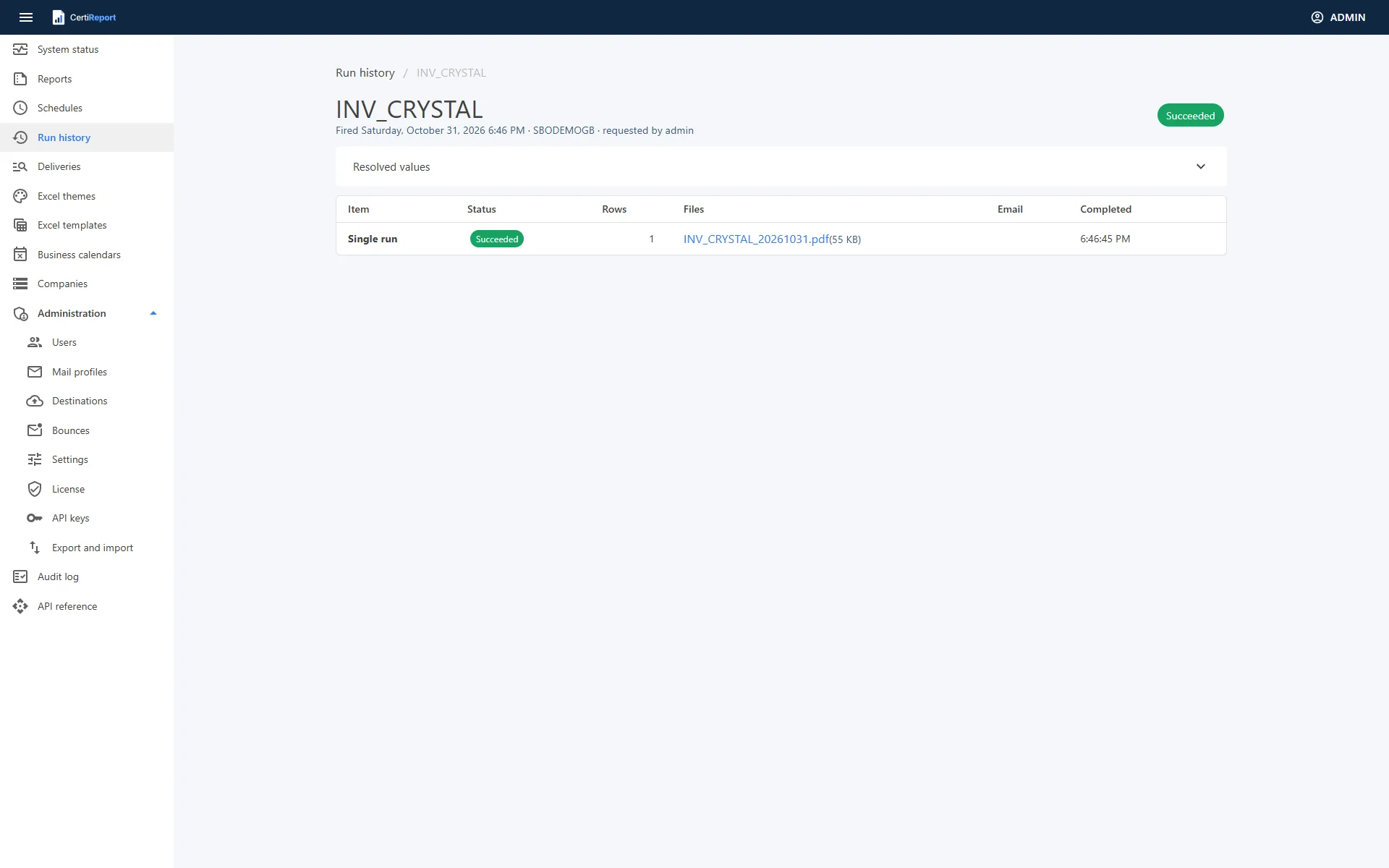
- Run history and deliveries: every run with its items, files, messages and attempts; retry a single failed item, resend a message as it was to the original or other addresses, and search every delivery by e-mail address, business partner, file name, subject or schedule with a "problems only" filter
- Prerequisite check:
CertiReport.Engine.exe checkprints one line per prerequisite: database and migrations, data folder, PDF browser, Crystal sidecar, each company's connection, signing certificate and Service Layer sign-in - Alerts: failure alerts by e-mail, a weekly delivery digest with the week's runs, items, e-mails, bounces and runs awaiting approval, a signed webhook after every run, and Prometheus gauges at
/metrics - REST API at
/api/v1with an OpenAPI reference at/api/docs: schedules, runs, test sends, approvals, deliveries, verification and licence, authenticated with API keys inX-Api-Key - Export and import of reports, business calendars, schedules, Excel themes and templates as one JSON bundle, with a preview of what would be created, updated or skipped; schedules import paused
- Backups: a nightly archive of the metadata database, the key ring and optionally the report files, with a command line to restore on the same or another server
- Retention: runs with their files for 400 days and finished mail for 90 days by default, enforced by the engine's housekeeping every 15 minutes
- Parallel bursts up to each company's Max concurrent queries, so a run over a thousand partners is fast and the SAP Business One database is protected
- Setup: one bundle with the EULA, options for ports, HTTPS, service account (gMSA supported), database and first administrator; silent install and in-place upgrade from the command line
Three portal languages
The portal speaks English, Arabic and French. Each user chooses the language from the account menu; the choice is stored on the user and follows them to another browser. Arabic switches the whole portal to right-to-left. Dates and numbers follow the chosen language, while the company's time zone still decides the clock.
- Every page, dialog, status chip and message is translated; reports and e-mails follow your own templates and the recipient's SAP Business One language
- Message variants per SAP Business One language, so a French-speaking partner receives a French subject and body
- Adding a language is one resource file; a test keeps the translations complete
See it on your own company
A demo on your SAP Business One company or ours. Bring the query you run by hand every month; we leave with it scheduled.